
Convert
Link Coder
Secure a playlist link before you share it, or encode and decode URL and Base64 text in two taps.
What it's for
A playlist link carries a username and a password in plain text. Link Coder turns it into a coded link that only OTT Helper can open — and, with a PIN, that only someone who knows the PIN can open.
How it works
Link Coder has three tabs:
- Secure
- Encrypt or Decrypt a link. A secured link opens only in OTT Helper. Only a PIN makes it private: add one with Protect with a PIN.
- URL
- Encode or Decode special characters, such as a password with symbols.
- Base64
- Encode or Decode Base64 text.
Step by step
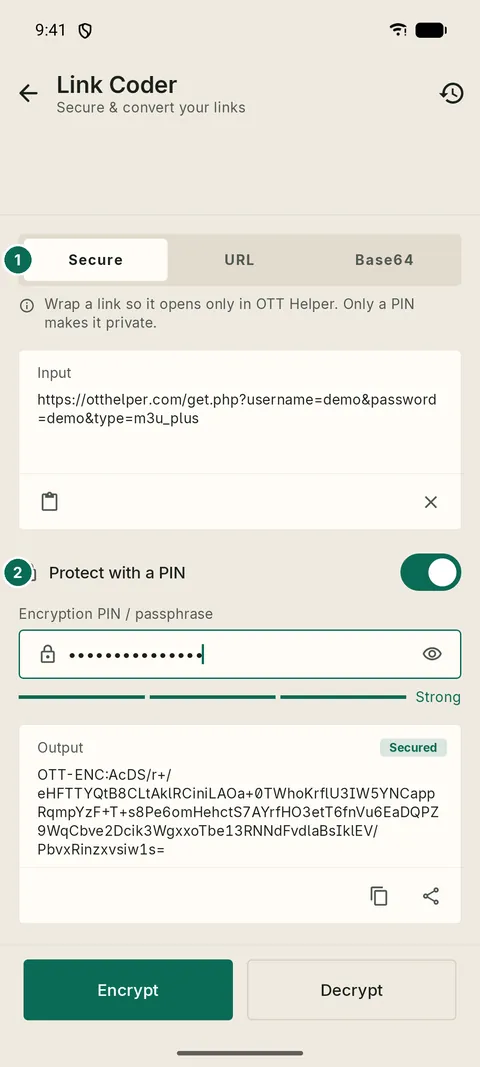
- 1Secure, URL and Base64 tabs
- 2Protect with a PIN

- 1Unlock playlist link
- 2The PIN you shared separately
Every result is kept in History, so you can copy it again later.