
Link Format
Turn one account into the exact link format each device or player asks for — and copy it, or read it aloud letter by letter.
What it's for
The same account can be entered in many ways: as Xtream Codes details in one app, as an M3U Plus link in another, as an EPG address in a third, or in the format of a satellite receiver. Link Format builds all of them from one input, so you never have to rewrite a link by hand.
How it works
Enter an M3U link or Xtream Codes details and tap Convert. The app reads the server, username and password from your input and writes them into each format. Nothing is sent to the server — the conversion happens on your phone.
Step by step
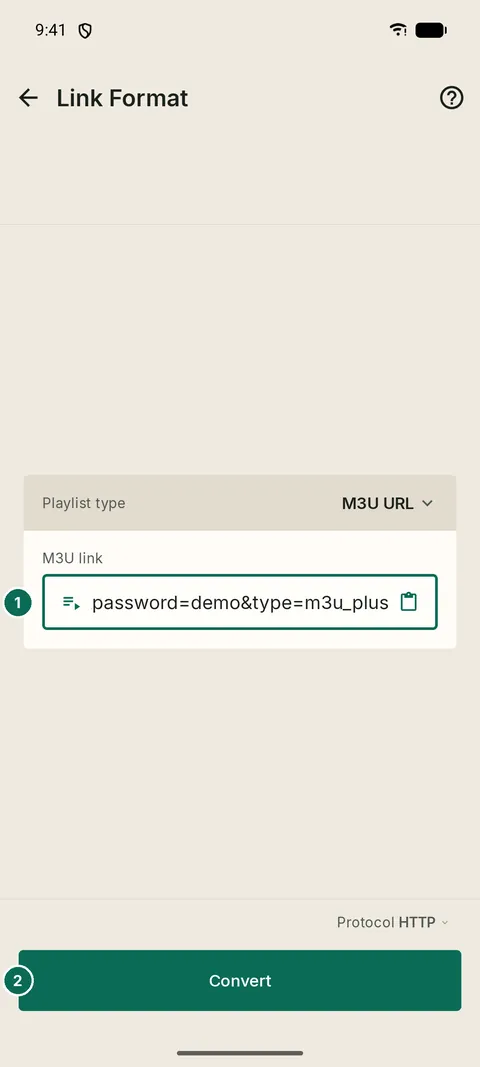
- 1The link or details
- 2Convert
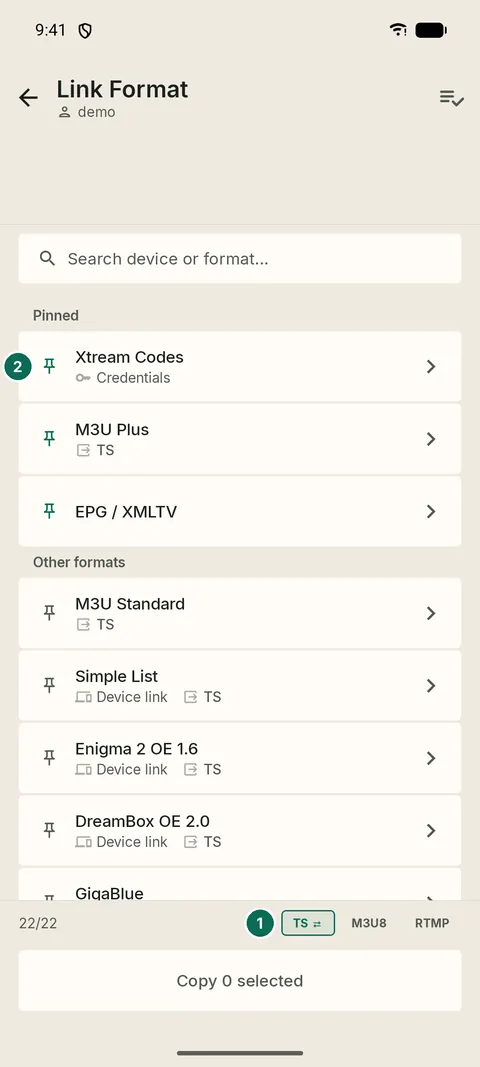
- 1Stream type and HTTP or HTTPS
- 2Copy one, or select several
Formats
The list includes Xtream Codes, M3U Plus, M3U Standard, EPG / XMLTV, Enigma 2, DreamBox, MediaStar, Zorro and more device formats. Where a format supports it, choose TS, M3U8 or RTMP streams and HTTP or HTTPS.
Read aloud
Typing a long link on a TV remote is error-prone. Read aloud letter by letter spells the link out so you can type it while you listen.